Skip to content
Open source · MIT · self-hosted

The CRM that
does the work.

Most CRMs are databases that make you do data entry. Codext CRM is built the other way round: the AI researches the prospect, scores the lead, writes the email and tells you what to do next. You approve and close.

No seat pricing. No vendor lock-in. Your database, your model key, your server.

your-crm.example.com/pipeline
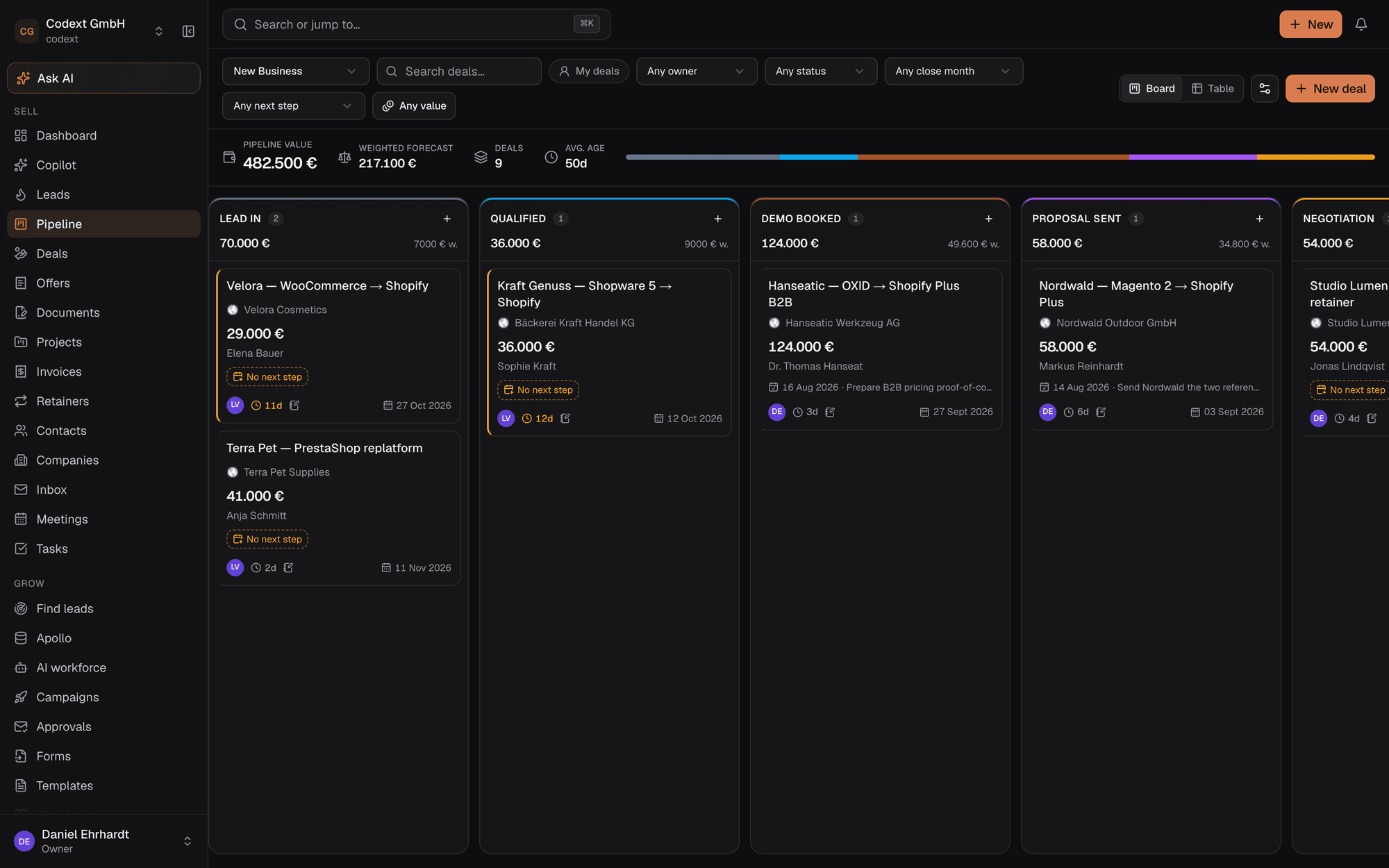
The Codext CRM pipeline board: a kanban of deals across Lead In, Qualified, Demo Booked, Proposal Sent and Negotiation stages, with pipeline value, weighted forecast, deal count and average age summarised across the top.
24
MCP tools Claude can call — 14 read, 10 write
1
Line to a running instance, TLS and all
0
Redis, queues, vector DBs or buckets to operate
MIT
Use it, sell with it, fork it

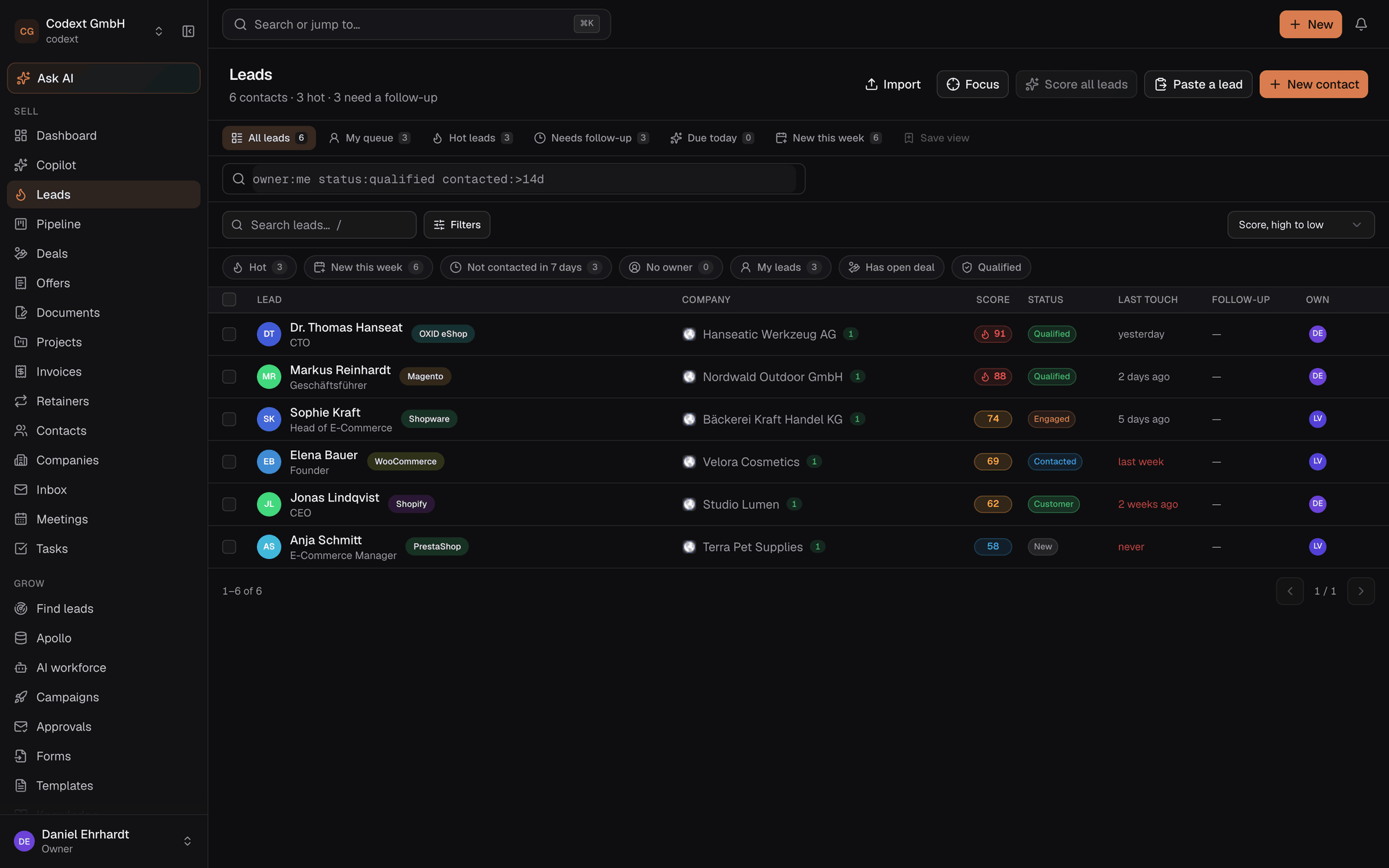
A rep's day is research, writing and follow-up.So that's what the CRM automates — not the note-taking you were already skipping.

Codext CRM was built byCodext GmbH to sell Shopify migrations, used every day against a real pipeline, and then open-sourced so any sales team can run it on their own infrastructure.

Every setting is wired to the behaviour it describes. An edited picklist changes the dropdowns. A defined custom field appears on the record. A disabled module disappears from the navigation. Anything not yet connected says so in the UI rather than implying otherwise.

The workspace

One surface for the whole deal.

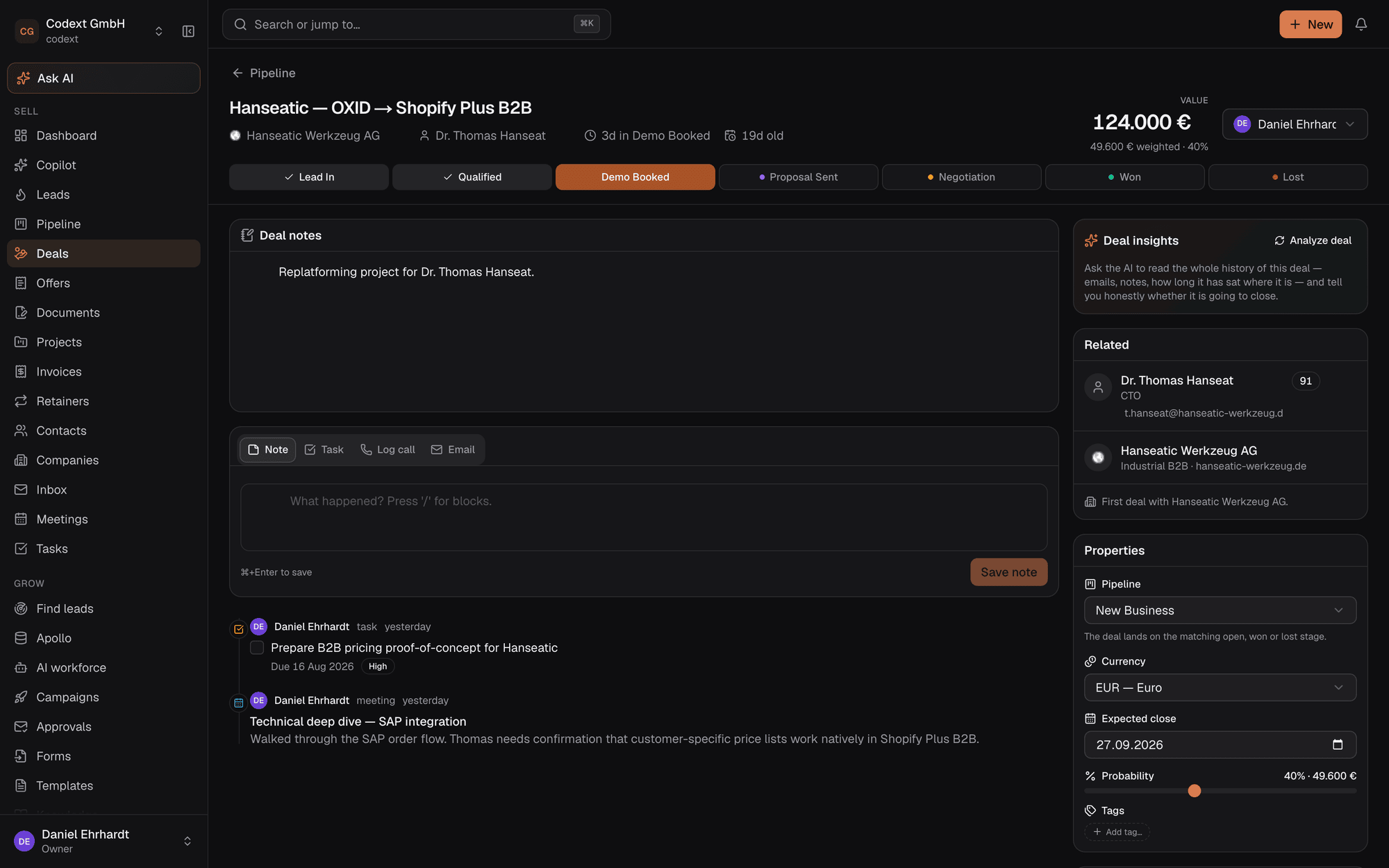
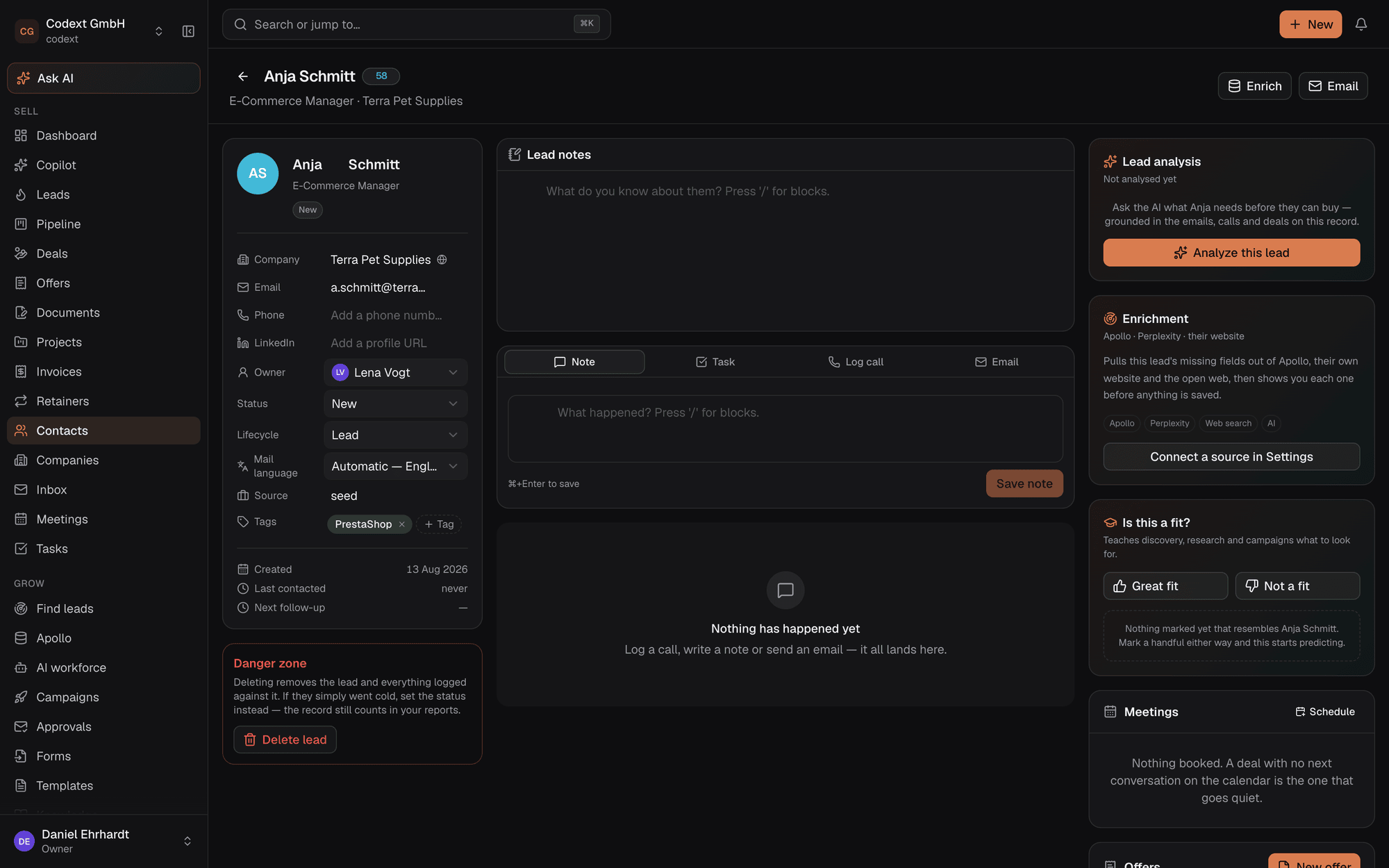
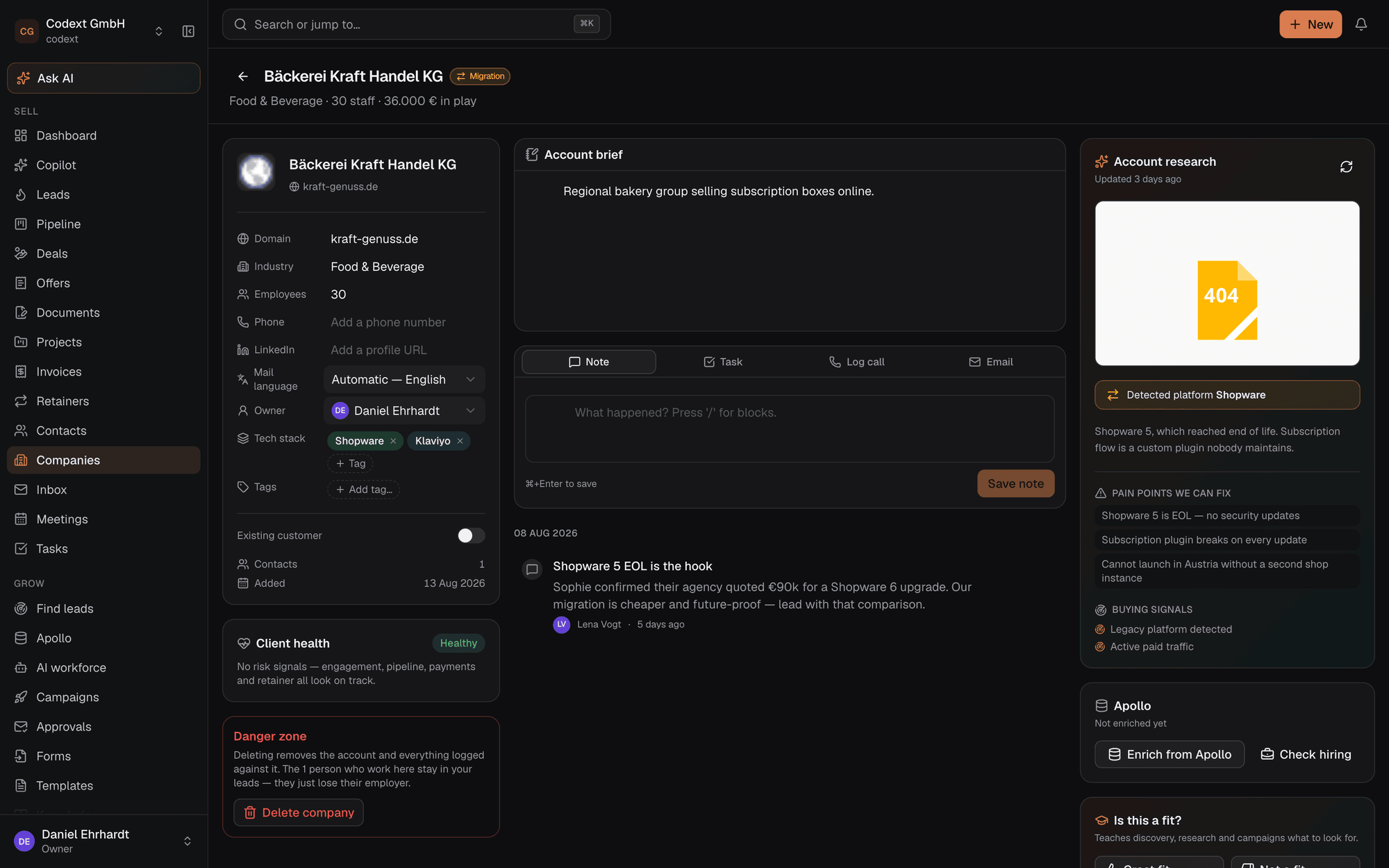
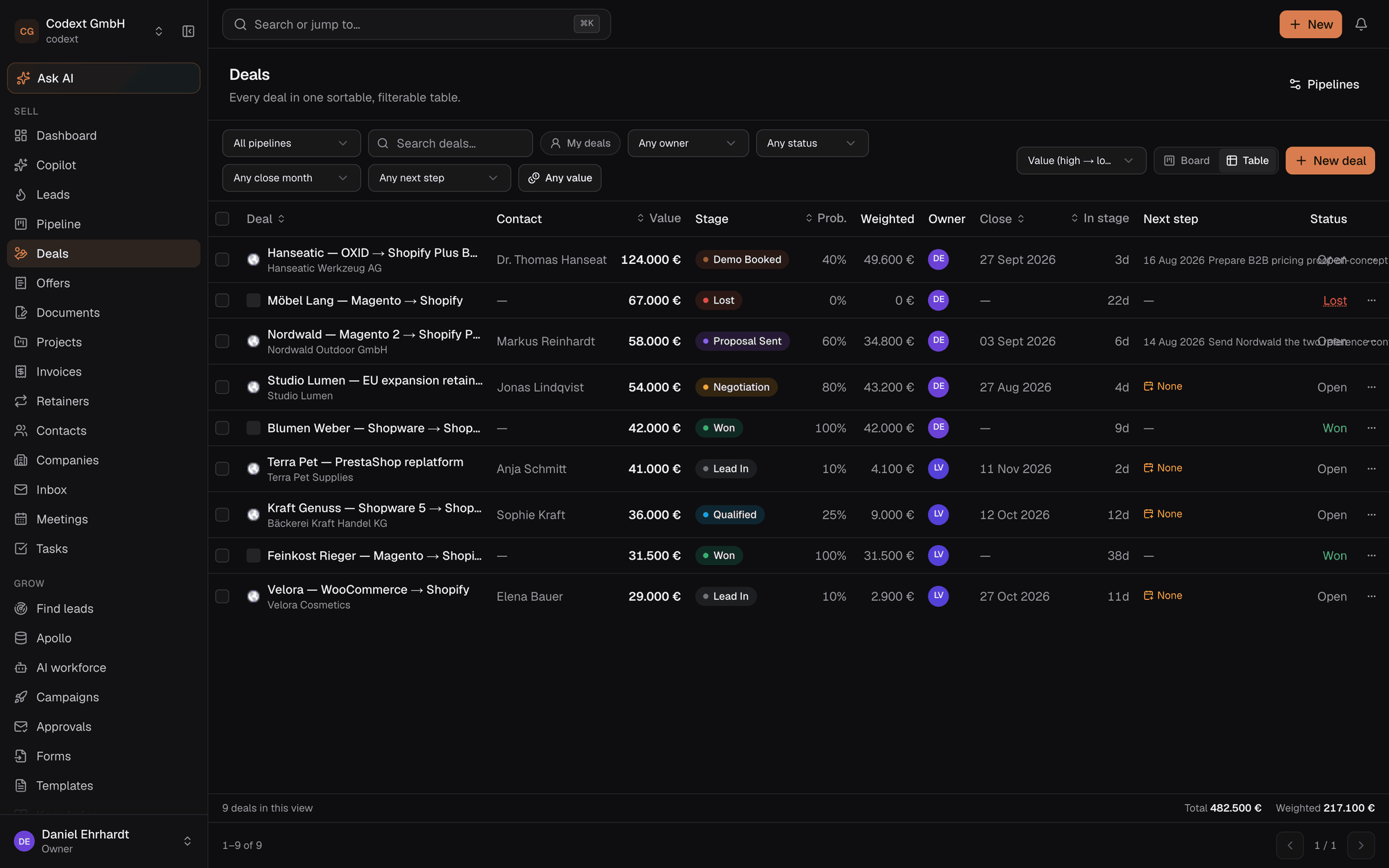
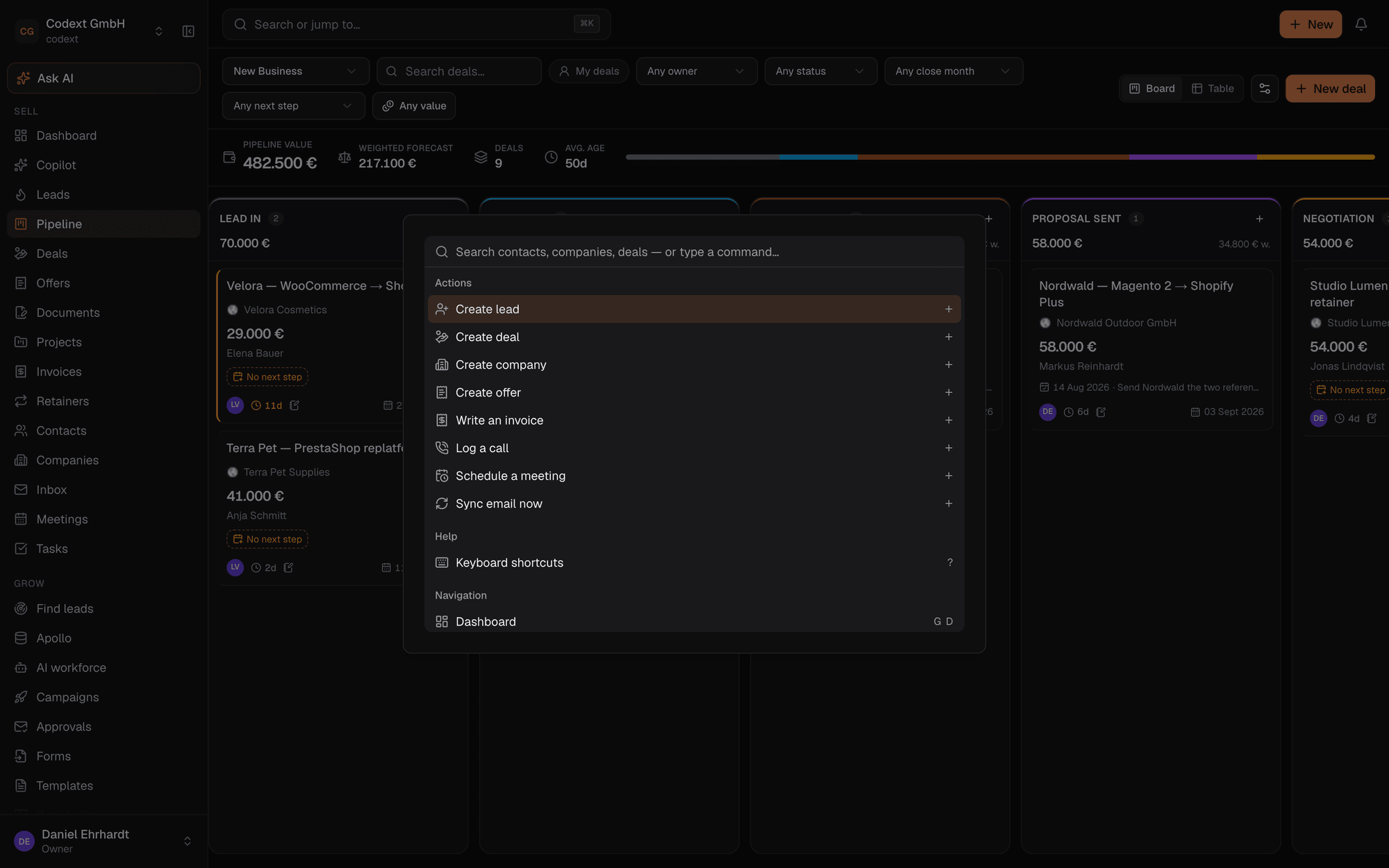
A prioritised work queue instead of a spreadsheet. A board that forecasts. Records that edit inline. Every screen below is the actual product, running on the demo dataset that ships with it.

Pipeline board

Drag-and-drop kanban with weighted forecasting, per-stage totals and rotting-deal warnings — the amber and red cards are deals that have sat in a stage past its limit.

Pipeline kanban board with deals grouped by stage.
Automate

The AI does the first draft of everything.

Not a chat box bolted onto a database. The model has your knowledge base, your pricing, your objection handling and the real thread history — and it can act on the CRM through the same tools you use.

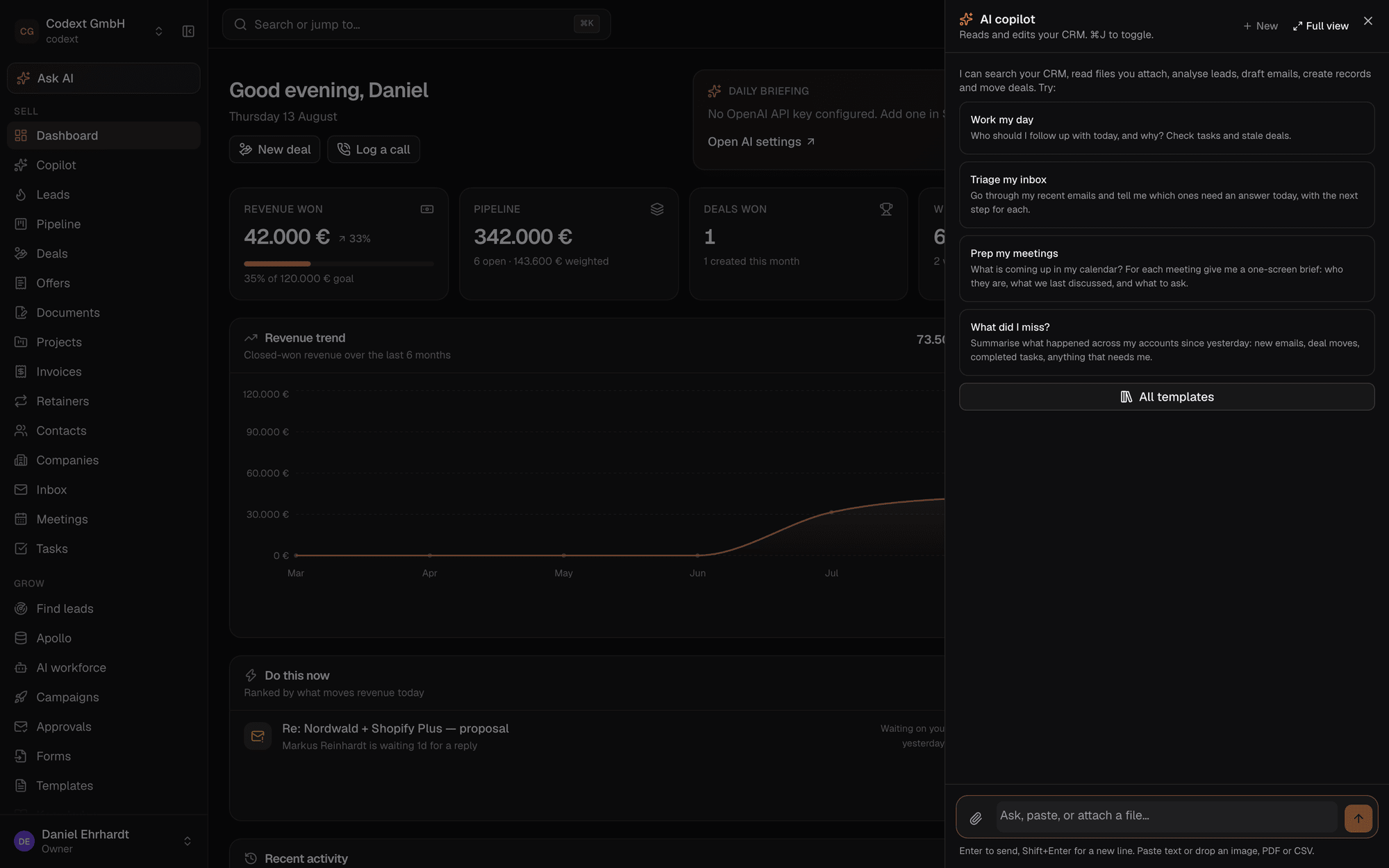
The AI copilot panel open beside the dashboard, offering to find follow-ups, draft replies and surface at-risk deals.
  1. 1

    It finds the prospect

    Outbound campaigns search for companies that match your profile, read their website, screenshot it and extract the pain points worth leading with.

  2. 2

    It scores the lead

    Buying potential, where the relationship actually stands, and specifically what this lead needs before they will buy — with the reasoning shown, not a number.

  3. 3

    It writes the email

    Grounded in your knowledge base and the thread so far. Finds the decision-maker's address, personalises the opener, queues it for approval.

  4. 4

    You approve and close

    Nothing leaves the building without a human unless you switch that off. The approvals queue is the whole review step.

  5. 5

    It briefs you tomorrow

    A daily briefing that ranks what actually moves revenue today, plus a "do this now" list on the dashboard.

One conversation, two surfaces

A full chat workspace at /copilot, or a ⌘J panel over whatever you are looking at. Threads are saved, named, searchable and pinnable — one started in the panel continues on the page.
Attach anything

Drop in a screenshot, a PDF or a CSV and it reads them. A photo of a business card becomes a contact; an exported lead list becomes contacts; an RFP becomes something it can answer questions about.

The whole toolbox

The copilot calls the same tools the MCP server exposes, plus any your workspace has connected. Anything Claude can do from outside, the in-app copilot can do — and every step shows as a chip on its reply.

Bring your own model

OpenAI by default, or point OPENAI_BASE_URL at Ollama, vLLM, OpenRouter or Azure. Each organisation can hold its own key.

Knowledge base

Pricing, case studies and objection responses, embedded and retrieved automatically whenever the AI writes anything on your behalf.

Works without a key

The CRM is fully usable with no AI configured at all. Every AI surface degrades to a clear "connect a key" state instead of breaking.
Model Context Protocol

Let Claude work your pipeline.

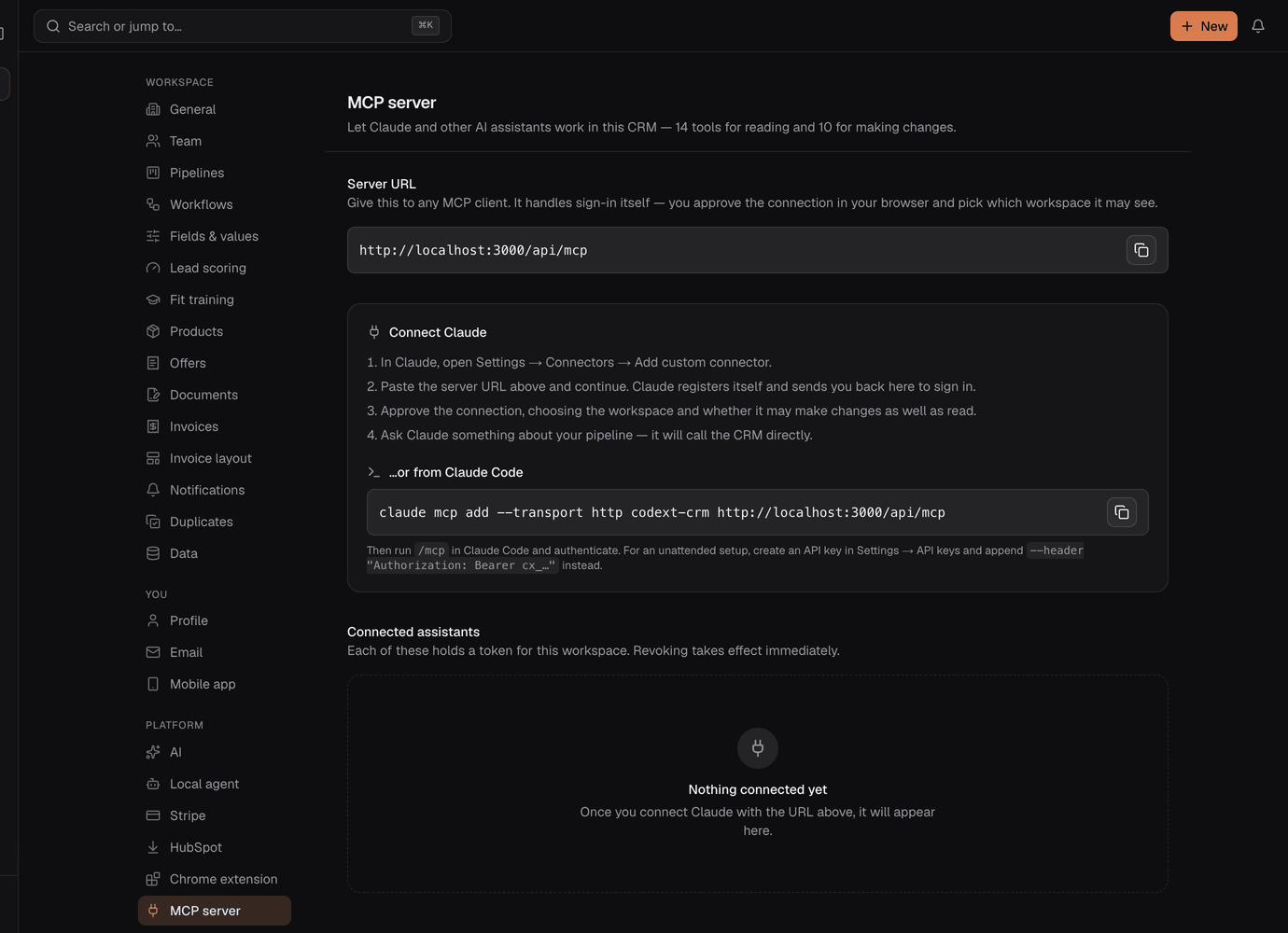
The CRM hosts its own MCP server and its own OAuth provider, so connecting it takes nothing but the URL. No tokens to copy around.

Claude → Settings → Connectors
https://your-crm.example.com/api/mcp

Claude registers itself, sends you to the CRM to sign in, and you approve the connection on a consent screen where you choose which workspace it may see and whether it may write as well as read.

or from Claude Code
claude mcp add --transport http codext-crm \ https://your-crm.example.com/api/mcp
The MCP server settings screen showing the connection URL, setup instructions and the list of connected assistants with a revoke control.
get_workspace_overviewsearch_contactsget_contactsearch_companiesget_companysearch_dealsget_deallist_pipelinesget_pipeline_summarylist_taskslist_activitieslist_team_memberssearch_knowledgefind_stale_deals
create_contactupdate_contactcreate_companyupdate_companycreate_dealupdate_dealmove_deal_stagelog_activitycreate_taskcomplete_task
14 read10 write

Scoped to one workspace

A token is bound to a single workspace for its whole life, and every tool call is scope-checked before it runs.

Every write is attributable

Recorded in the audit log against the user whose connection was used — so "who changed this deal?" stays answerable.

Revocable in one click

Settings → MCP server lists what is connected. Access tokens last 8 hours; replaying a rotated refresh token kills the whole connection.
Everything else

The unglamorous parts, finished.

Capture, measure and administer — the work that decides whether a CRM survives contact with a real team.

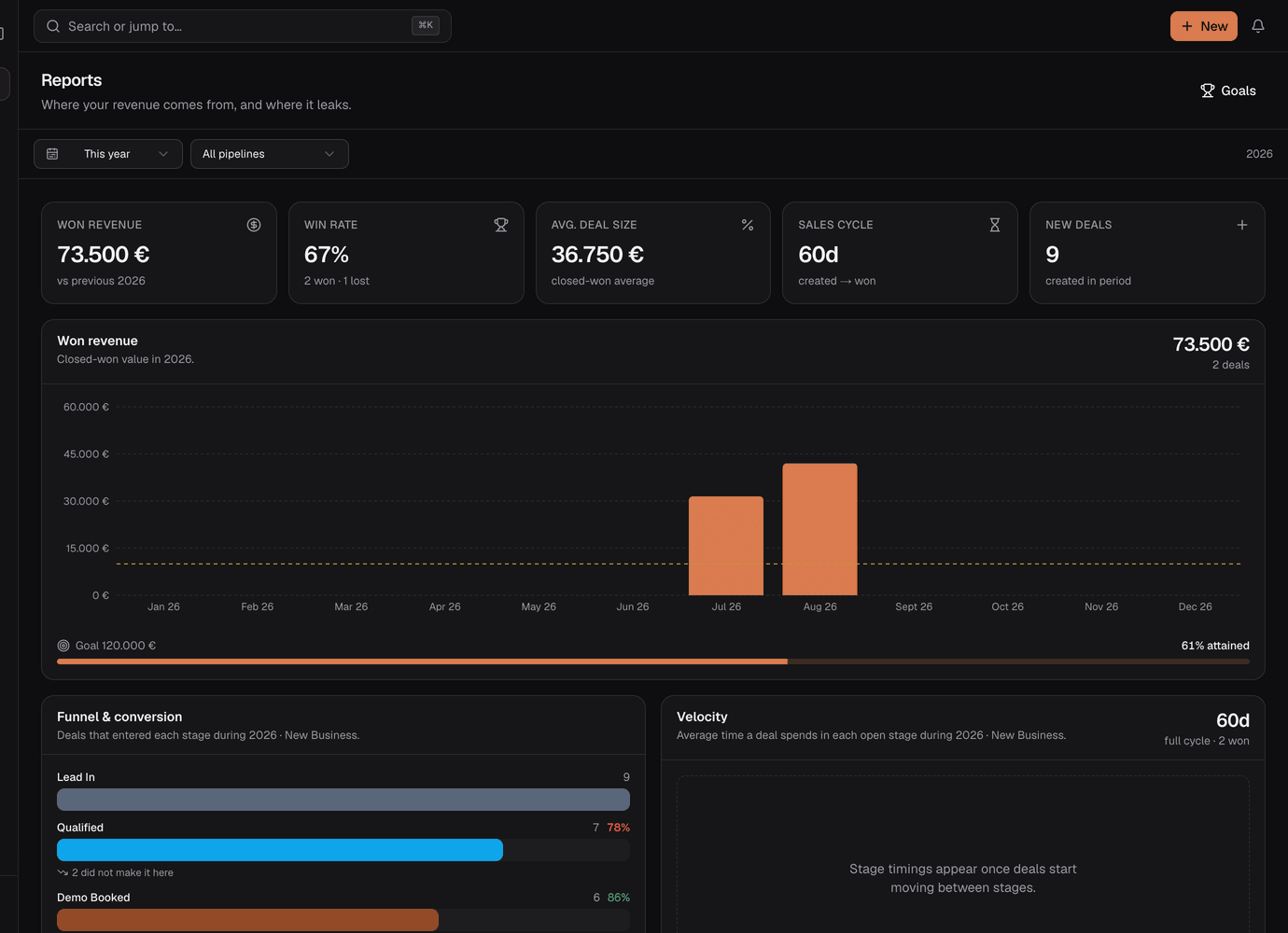
Reports that show where it leaks

Revenue against goal, funnel conversion, stage velocity, win/loss and per-rep performance — over any period you pick.
Reports screen with won revenue, win rate, funnel conversion and velocity charts.

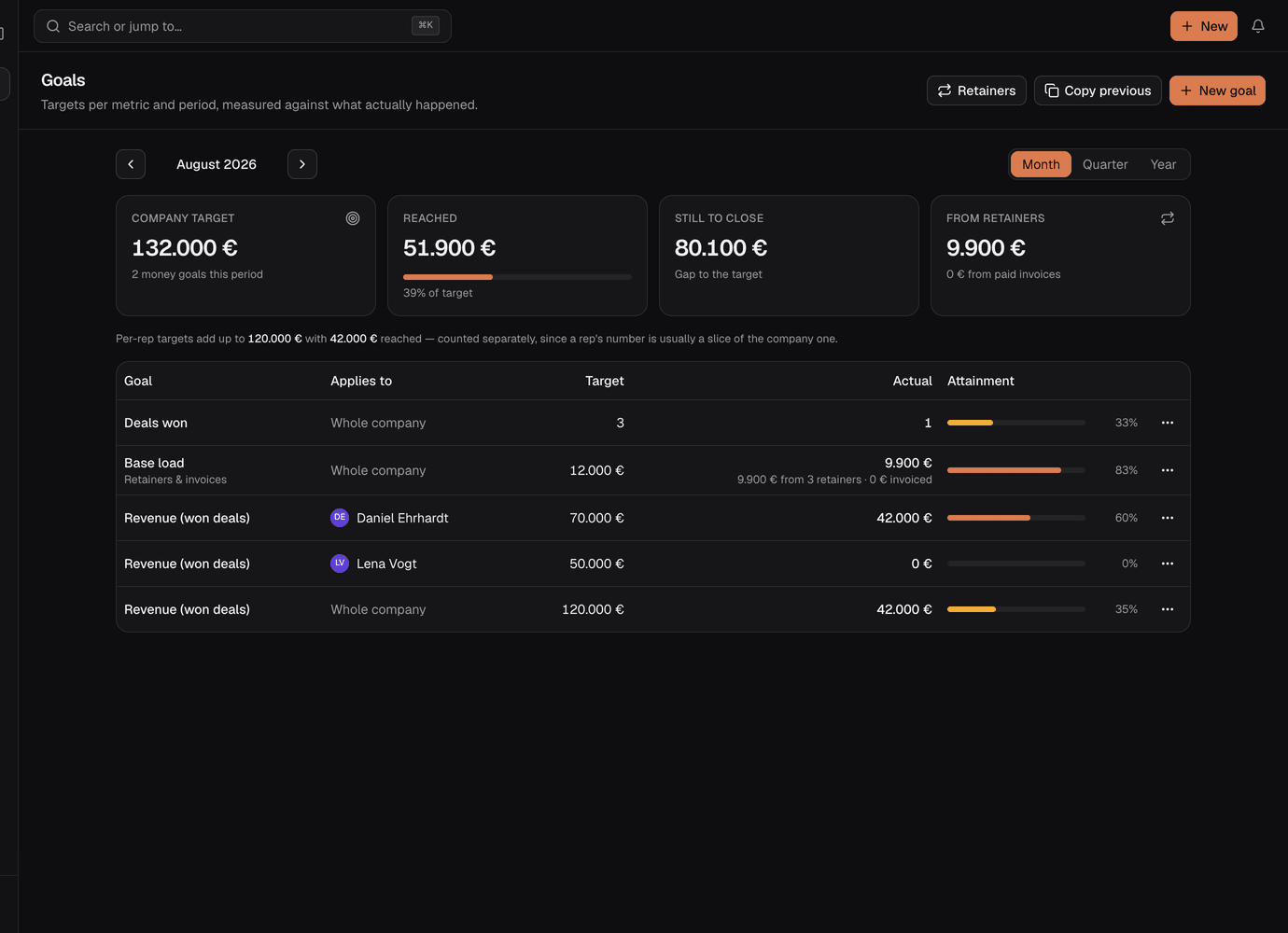
Goals with real attainment

Team and per-rep targets by month, quarter or year, measured against what actually closed rather than what was promised.
Goals table showing targets, actuals and attainment bars per team member.

Forms

Build a lead-capture form in a minute, share the link or embed it. Submissions land straight in the pipeline.

CSV import

Column mapping and duplicate handling, so a migration is an afternoon.

Two-way email

Gmail over OAuth or any IMAP/SMTP mailbox, with presets for Outlook, IONOS, Strato, mailbox.org and Zoho. Send from inside the CRM.

Configuration, not code

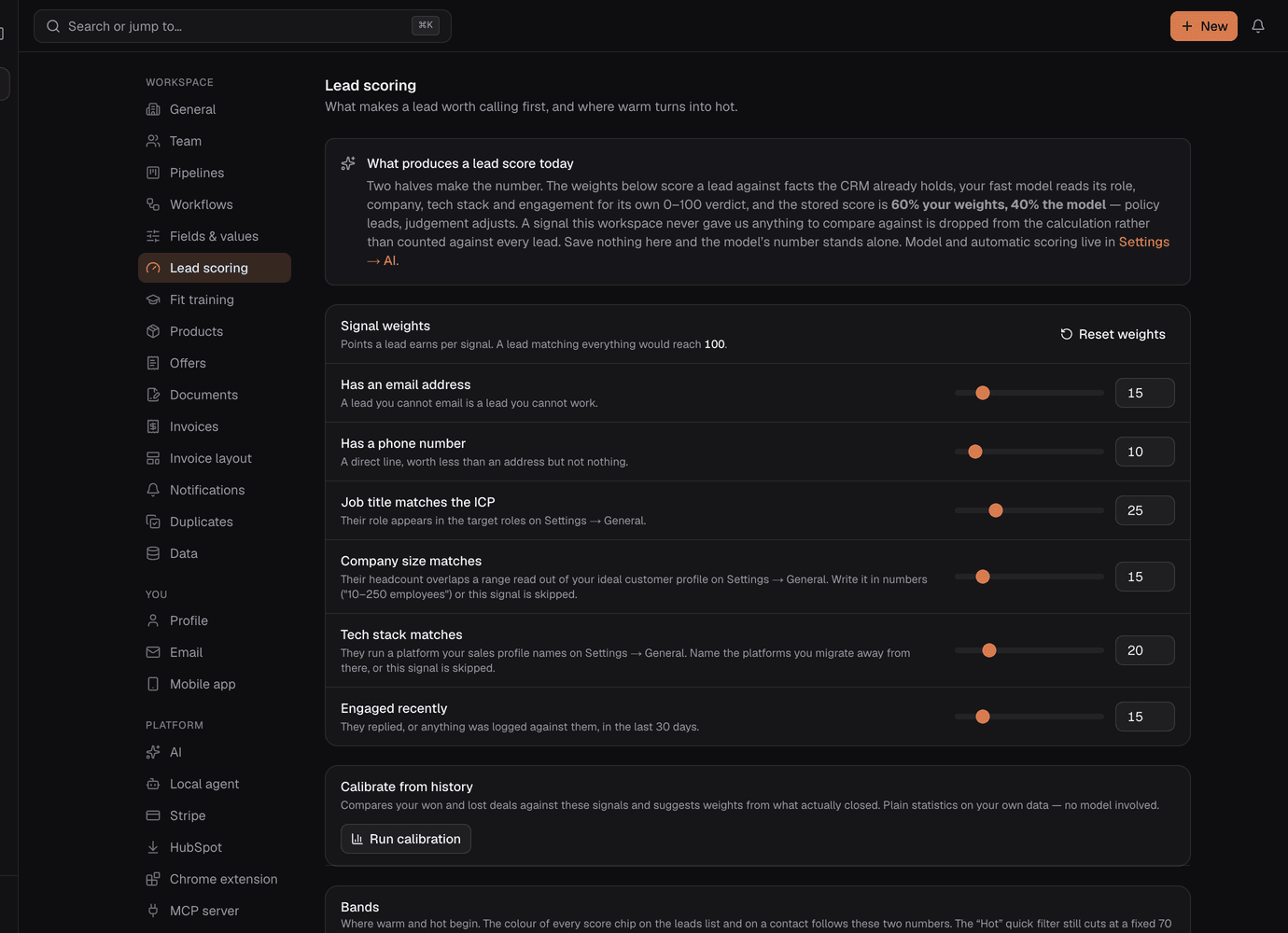
Custom fields per entity, editable picklists, lead-scoring weights, notification preferences, branding and data export all live in Settings — and each one is wired to the behaviour it describes.

Module switches turn campaigns, forms, knowledge, email or reports off for the whole installation or for one organisation. Instance-off always wins.

Lead scoring settings with weighted signal sliders.

Instance admin

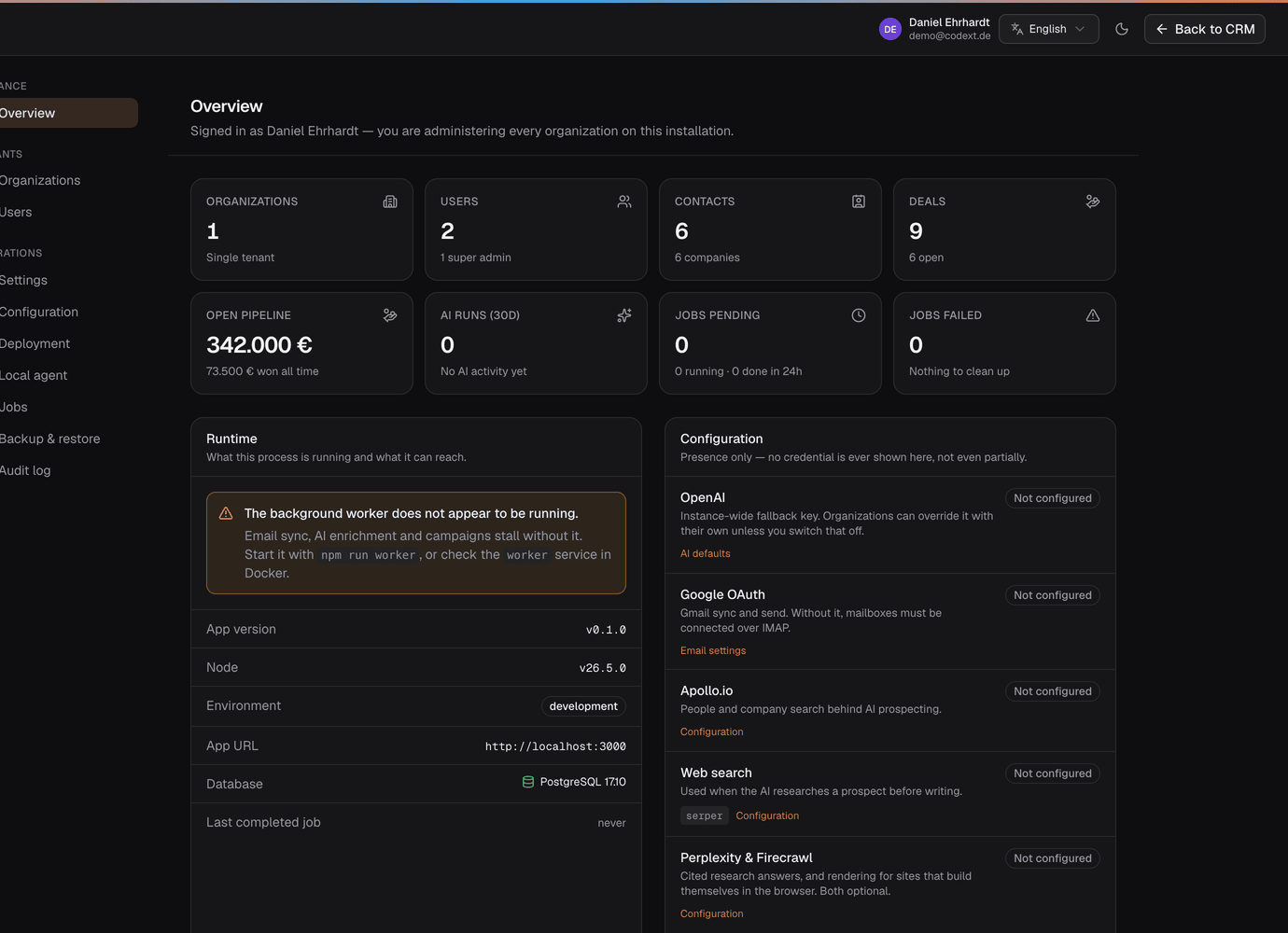
A super-admin console for the whole installation: every organisation, every user, instance-wide defaults, module switches, the job queue and a full audit log.
Instance administration console with organisations, users and system configuration.

Plugins in the box

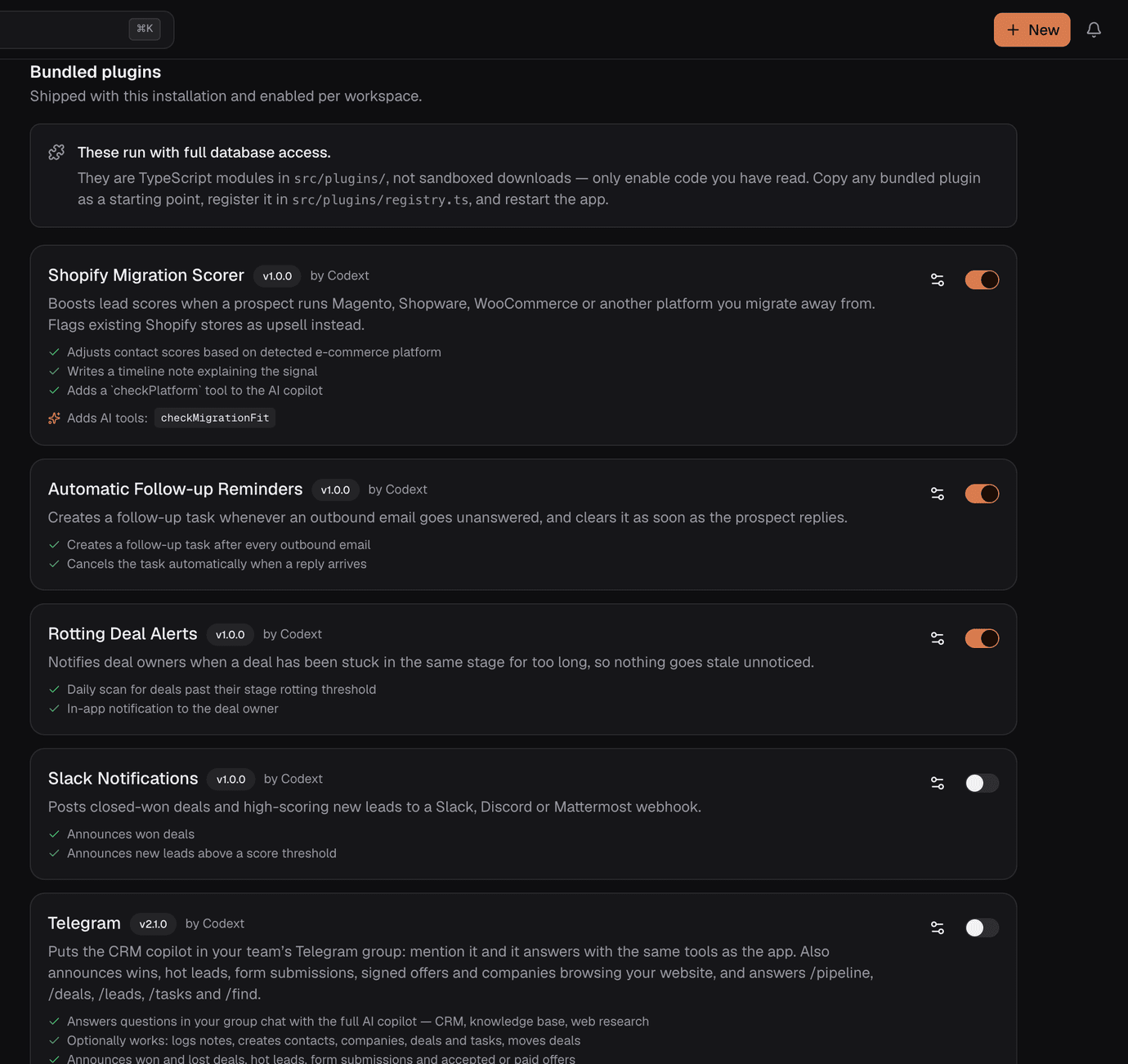
Eight ship with it — connectors for lexoffice, EU VAT validation, Brevo and Telegram, plus a migration scorer, auto follow-up, deal-rot alerts and a Slack notifier. Toggle them per organisation.
The bundled plugins list in settings, each with a version, a description and a per-organisation enable toggle.
Details

Dark and light, both first class.

Dense, calm, keyboard-first. Near-neutral greys carry the interface and a single accent carries intent, so your eye goes straight to money and risk.

The pipeline board in dark mode.
Extend

Write a plugin — or just ask for one.

Plugins are TypeScript objects that run in-process. They hook CRM events, add tools the AI copilot can call, register background jobs and add navigation entries.

Plugin Studio

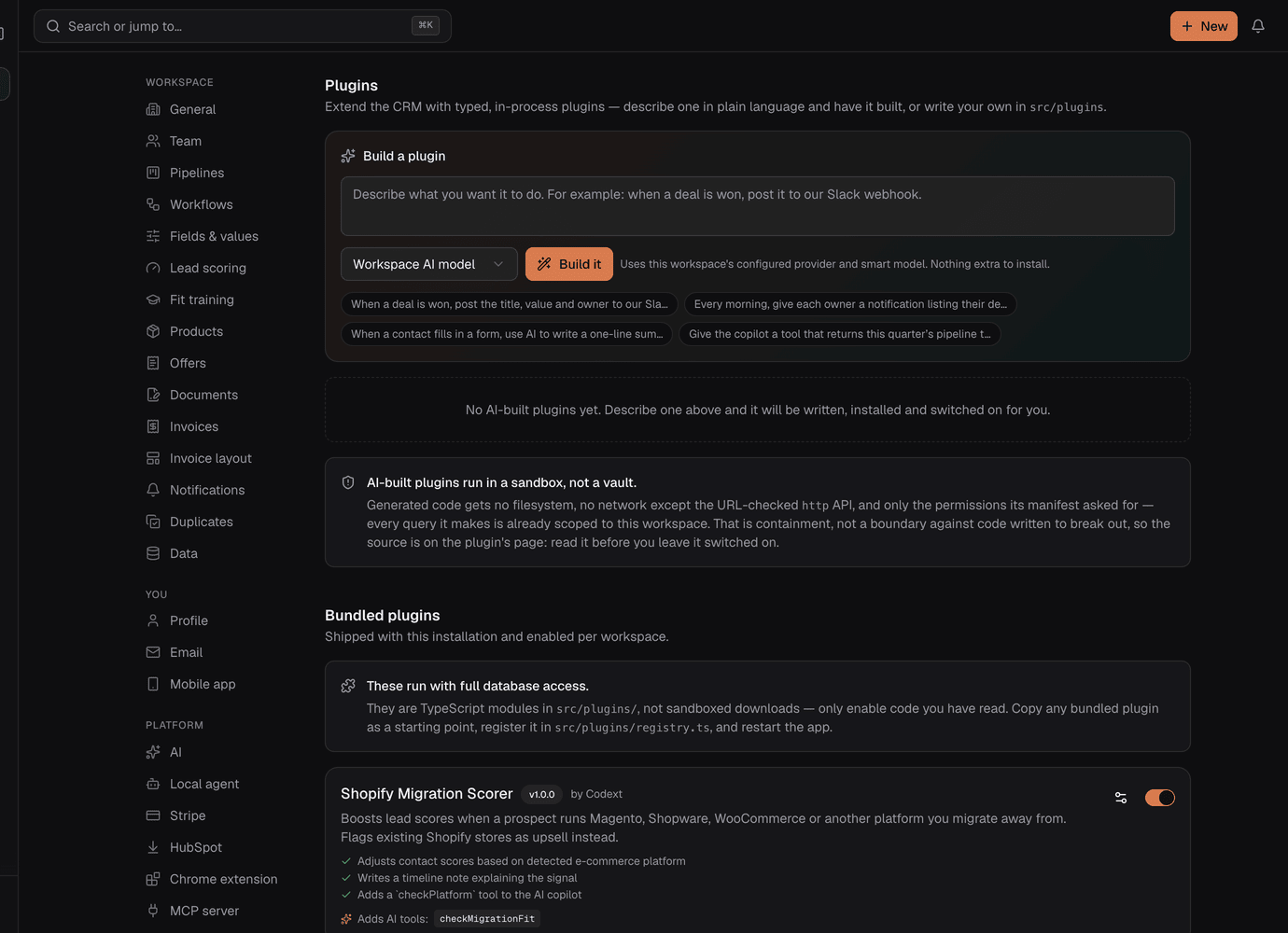
Settings → Plugins has a box you can type into. Describe what you want and the AI writes the plugin, installs it and switches it on — no rebuild, no restart, no file to register. Ask for a change later and it ships a new version; every version is kept and restoring one is a click.

Generated plugins run in a sandbox with no require, no process, no timers and no network beyond a URL-checked ctx.crm.http, and reach the CRM only through an API already scoped to the workspace. A plugin gets only the permissions its manifest declared. That is containment, not a boundary against code written to break out — the source is on the page so you can read it before leaving it switched on.

The Build a plugin box in Settings → Plugins: a prompt field, a builder selector, and example prompts you can start from.
src/plugins/my-plugin/index.ts
import { definePlugin } from '@/lib/plugins/types';export default definePlugin({ id: 'my-plugin', name: 'My Plugin', description: 'Does something useful when a deal is won.', version: '1.0.0', configFields: [ { key: 'webhookUrl', label: 'Webhook URL', type: 'password', required: true, }, ], on: {'deal.won': async (event, ctx) => { ctx.logger.info(`Deal ${event.payload.dealId} won`); }, }, aiTools: [/* tools the copilot can call */], jobs: {/* background handlers */}, });

Events you can hook

contact.createdcontact.updatedcontact.status_changedcompany.createdcompany.updateddeal.createddeal.stage_changeddeal.wondeal.lostemail.receivedemail.sentform.submittedoffer.createdoffer.sentoffer.viewedoffer.acceptedoffer.revision_requestedoffer.declinedoffer.paidcampaign.message_readycampaign.message_senttask.completed

Prefer no code? Settings → Webhooks fires the same events at any URL, HMAC-signed. And a Chrome extension puts the full CRM context of whoever you are emailing right inside Gmail, with a Save lead to CRM button that turns the open thread into a contact, a company, a deal and a timeline entry.

Bundled plugins run unsandboxed with full database access. AI-built ones run sandboxed and org-scoped, but the sandbox shares a process with the CRM. Either way: only enable code you have read.

Self-host

One line, TLS included.

Postgres and Node. No Redis, no external queue, no vector database, no object store. Jobs live in Postgres with FOR UPDATE SKIP LOCKED and embeddings are compared in-process, so a pg_dump is a complete backup.

  • Two required variables. DATABASE_URL and AUTH_SECRET. That is the whole minimum.
  • Migrations run themselves on boot, so there is no separate release step.
  • Secrets encrypted at rest with AES-256-GCM keyed from AUTH_SECRET — SMTP passwords and OAuth tokens never sit in plaintext columns.
  • Every query is org-scoped. Multi-tenancy is enforced in the data layer, not the UI.
  • Multi-organisation — run several companies from one installation.

Stack: Next.js 15 · React 19 · TypeScript · Tailwind v4 · shadcn/ui · Drizzle ORM · Postgres · Vercel AI SDK v5.

Ubuntu / Debian — point an A record first
curl -fsSL https://raw.githubusercontent.com/codextde/\ codext-crm/main/deploy/install.sh | bash

Installs Docker if it is missing, generates your secrets, and starts Postgres, the app, the worker and a Caddy proxy that gets a Let's Encrypt certificate on its own. No domain yet? Leave it blank and it serves HTTP on the server's IP. Re-running upgrades in place and keeps your secrets.

There is a Coolify compose file too, and a Cloudflare Tunnel path for a home server with no public IP.

Pricing

There isn't any.

It is MIT licensed software you run yourself. The only bills are your server and, if you want the AI features, your model provider.

Self-hosted
€0per seat, per month, forever

Unlimited users, unlimited organisations, every feature on this page. No edition gating, no "contact sales" tier, no telemetry.

What it actually costs to run

  • A small VPS and a Postgres database.
  • Your own OpenAI-compatible key — or a local model through Ollama or vLLM, which costs nothing but electricity.
  • Optional: an Apollo key for prospecting and a search key for AI web research.

Use it, sell with it, fork it. Commercial use is explicitly fine.

Questions

Straight answers.

Is this production-ready or a demo?

It was built by Codext GmbH to run their own Shopify-migration sales, and then open sourced. It is a real tool with real users rather than a reference implementation — but it is young, so read the code before you bet a quarter on it. Everything that is not yet wired up says so in the UI instead of pretending.

Do I need an AI key to use it?

No. The CRM is fully usable with no AI key at all — pipeline, contacts, email, reports and forms all work. Every AI surface degrades to a clear "connect a key" state rather than breaking. Add a key later and those surfaces light up.

Does my data leave my server?

Only where you connect something. There is no telemetry. If you configure an AI provider, the prompts for that feature go to that provider — point OPENAI_BASE_URL at a local Ollama or vLLM instance and nothing leaves the box at all.

How does the Claude connection stay safe?

You approve it on a consent screen that picks the workspace and whether writes are allowed. A token is bound to one workspace for its whole life, every tool call is scope-checked, and every write is recorded in the audit log against the user whose connection was used. Access tokens last 8 hours, refresh tokens rotate, and replaying a rotated one revokes the whole connection. Revoke from Settings → MCP server at any time.

Can I run several companies from one installation?

Yes. Multi-organisation is built in, and every query is org-scoped in the data layer rather than filtered in the UI. A super-admin console at /admin manages the whole installation — organisations, users, module switches, the job queue and the audit log — separately from per-organisation settings.

What about email — do I need Gmail?

No. Gmail over OAuth is one option; any IMAP/SMTP mailbox works, with presets for Outlook, IONOS, Strato, mailbox.org and Zoho. The background worker handles sync — the web app runs without it, but background automation does not.

Where do the screenshots come from?

They are unretouched captures of this application running against the demo dataset that ships in the repository. Run `npm run up -- --seed` and you get the same workspace, names and numbers.

Already have an instance?

Sign in and pick up where your pipeline left off.

No account on this instance?Create one — or run your own.

Stop doing data entry.

Clone it, run one command, and see your own pipeline in it this afternoon.